Basic Usage
NOTE: The program ONLY connects to our test database.
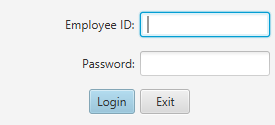
Upon starting the program, you will need to specify login information. After doing so, you will be brought to the main view.
Upon opening the main view for the first time, you will notice a seemingly blank screen.
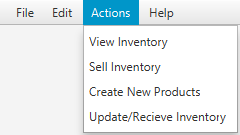
All parts of the program are contained in views in the Actions menu in the menu
bar at the top of the program. Clicking any one of these options will open that
view in a new tab inside the main window.
NOTE: Not all of the views listed in these help documents may be visible to you. This would be because only views you have access to are listed in the program. To get access to other views, contact someone with administrator privileges.

You may only have one tab of each view open at once. To close any of the tabs, click on the x in the tab that you want to close.
To learn more about any of the views, choose its corresponding help page in the sidebar.