View Sales
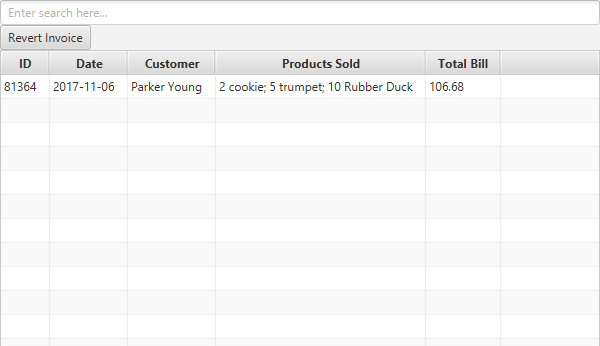
The View Sales view displays all previous invoices issued.
The table shows invoices spread over five columns:
- Invoice ID: The unique ID of the invoice.
- Issue Date: The date the invoice was issued.
- Customer: The customer the invoice was issued to.
- Products Sold: A brief overview of the products sold to the customer.
- Invoice Total: The total amount on the invoice.
If there is need to revert an invoice outright, in its entirety, click on it in the table view, and click on the Revert Invoice button.
For convenience, there is an ability to search the list of invoices. You can currently search based on Customer Name and Invoice Date.
To create new invoices, please see the Sell Inventory view.