View Customers
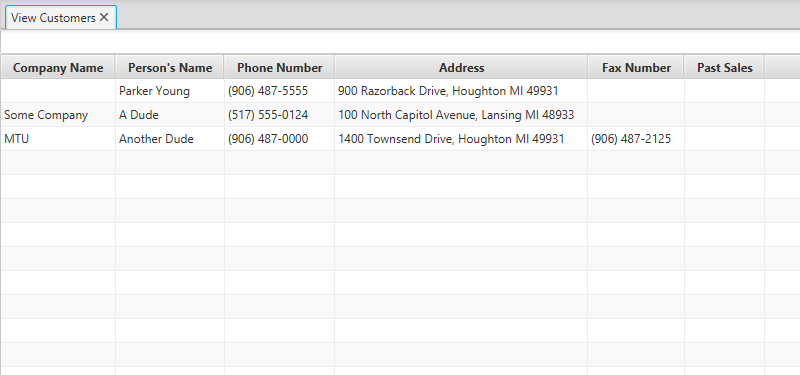
The View Customers view will display all of the past customers in a single, sortable table.
The table currently has the following six columns:
- Company Name: The name of the company a certain customer represents.
- Person's Name: The name of the customer.
- Phone Number: The phone number for the customer.
- Address: The customer's address.
- Fax Number: The fax number for the customer.
- Past Sales: A list of all Invoice numbers associated with the customer.
NOTE: As of right now, the Past Sales column does not populate upon a sale.
The table will automatically resize its columns so all of its elements are completely visible. Due to the way this works, however, you may have to resize your screen to see everything. It is recommended to use this program in maximized mode in order to avoid problems like this one.
Each column of the table can be sorted for convenience. Clicking once on any column will sort the column in ascending order, and clicking it again will sort the column in descending order.
There is a search bar at the top of the view to help find customers within the database. Currently, the table can be filtered based on Company Name, Person's Name, and Phone Number.
Customers cannot be created from this view; they can be created from the Sell Inventory view.