Update Products
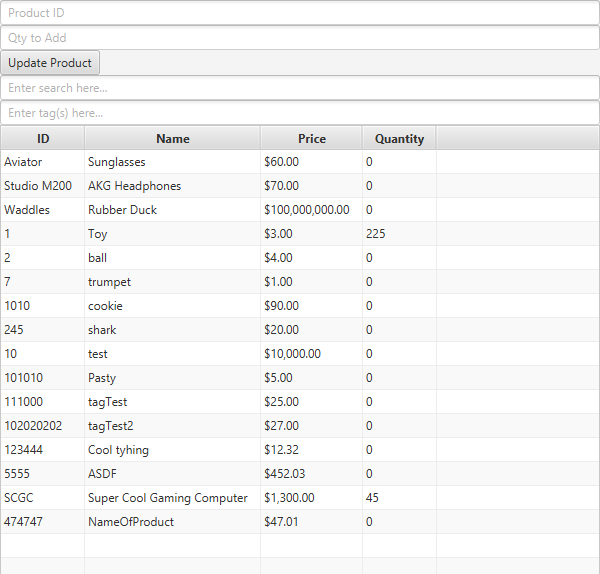
The Update Products view allows the addition of on-hand quantity of each product.
To add quantity to a product, provide the following two pieces of information in the top two text fields:
- Product ID: The unique ID of the product to add quantity to.
- Quantity to add: The amount to add to the on-hand quantity of the product.
For convenience, a copy of the View Inventory view is provided below the Update Product button. Clicking on any item in the table will have its ID automatically placed in the Product ID text field.
After entering this information, and as long as the product ID and quantity are valid, clicking on Update Product will update the quantity of the product. You may also press the Enter key on your keyboard while your cursor is in the Qty to Add text field, as this will provide the same functionality as clicking on Update Product.